Made for your workday
The right tools.
On the right device.
LinePocket for Mac · Coming soon
Back at your desk.
Ready to draft.
A native 2D drafting workspace with familiar CAD commands, precision input and a command line that keeps you moving.
- Draw and edit 2D geometry with precision
- Use snapping, coordinates, layers and blocks
- Save working drawings as DWG or DXF
Explore the Mac preview ↗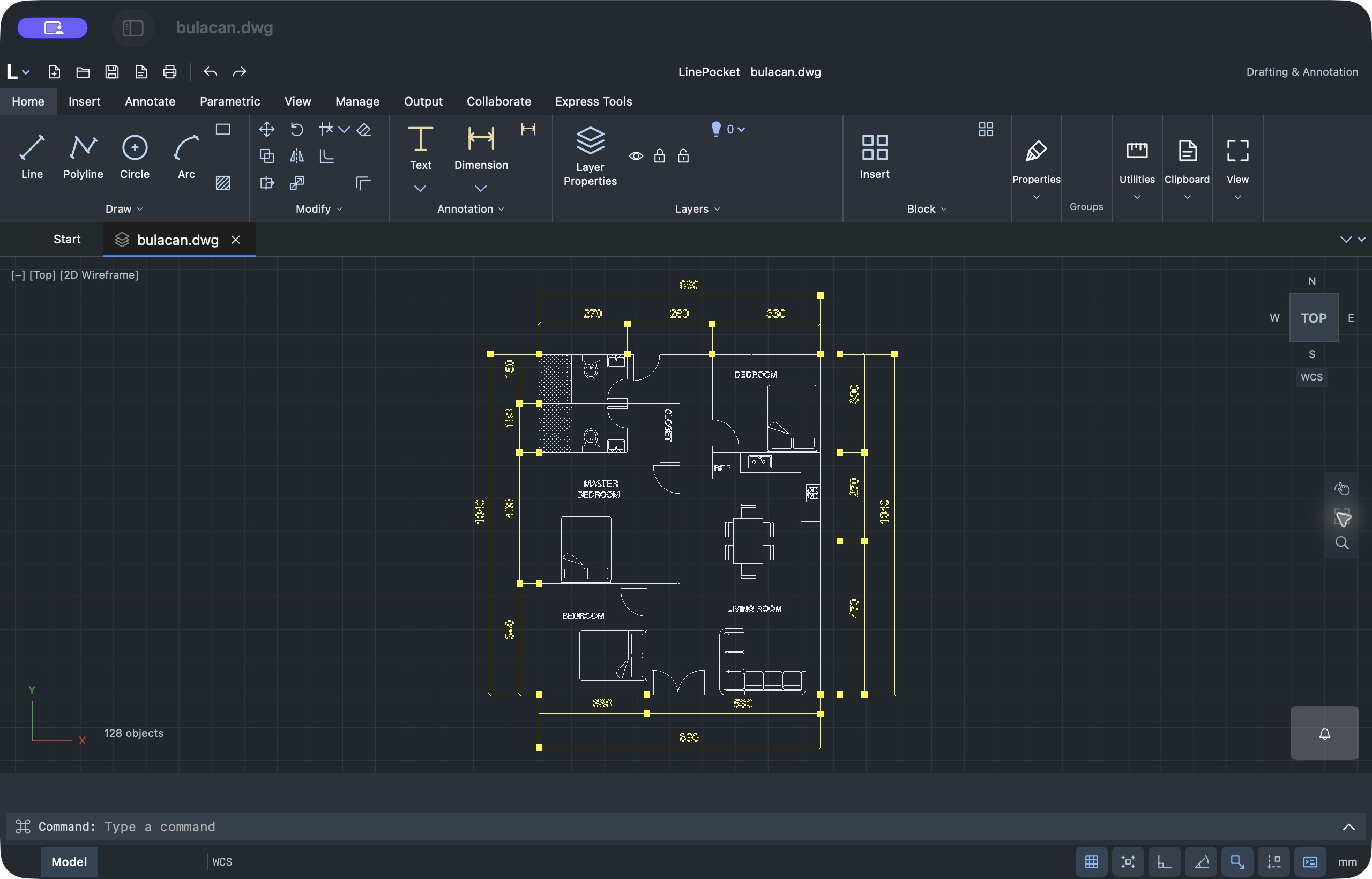

Development preview · Coming soon. Included with Lifetime when released.
One workflow. Your Apple devices.
Buy once. Keep moving.
01
One purchase. Your devices.
Use Lifetime on as many compatible Apple devices as you own with the same Apple Account. Mac is included when released.
02
Your library, in sync.
Optional private iCloud sync for drawings, exports, saved measurements and PDF page scales. Enable it on each device.
03
Keep working offline.
Open downloaded drawings wherever work takes you. Work tools stay available while your confirmed access is active.
Annotations and source-object edit patches currently stay on the device where you create them.
Simple pricing
Start free.
Keep your tools for life.
Free viewing and Lifetime tools| Feature | Access |
|---|
| Open DWG, DXF and PDF | Free |
|---|
| View layers and inspect properties | Free |
|---|
| Measure, mark up and calibrate PDFs | Lifetime |
|---|
| Create exports, print and sync | Lifetime |
|---|
LinePocket Lifetime
US$49.99
One purchase. No subscription.
Restore on your compatible Apple devices.
Get LinePocket ↗Apple shows your local price before purchase.View free, without signing in. Activate your 30-day trial when you choose.
No automatic charge. Buy Lifetime when you’re ready.
Stay in the loop
Good news.
Straight to your inbox.In your inbox.
Product updates, useful tips and news about LinePocket for Mac.
We’re here to help
A question?
Send us a message.
Get help with drawings, measurements,
purchases or your next project.
[email protected] ↗No app account is required.
A support message does not subscribe you to news.
A few useful answers
Before your next drawing.
Can I use one purchase on more than one device?
Yes. Restore Lifetime using the Apple Account that owns the purchase on your compatible devices. Mac is included when its App Store version is released.
What syncs between my devices?
Your files, exports, saved measurements and PDF page scales through private iCloud. Annotations and source-object edit patches currently remain local. Sync requires eligible access, LinePocket sign-in and the same system iCloud account.
When can I get LinePocket for Mac?
Mac is coming soon. The screenshots show a native development preview. No public release date has been announced.
Will every CAD drawing look exactly the same?
LinePocket supports 2D content. Some objects, fonts and references may differ. Check important details against the authoring application.


